Zapier, Make, or n8n? Picking an AI Automation Tool
Impleko AI · 11 min read
Compare n8n, Make, and Zapier for AI workflow automation on cost, reliability, data control, and complexity, and learn which fits your CRM and inbox workflows.
Key Takeaways
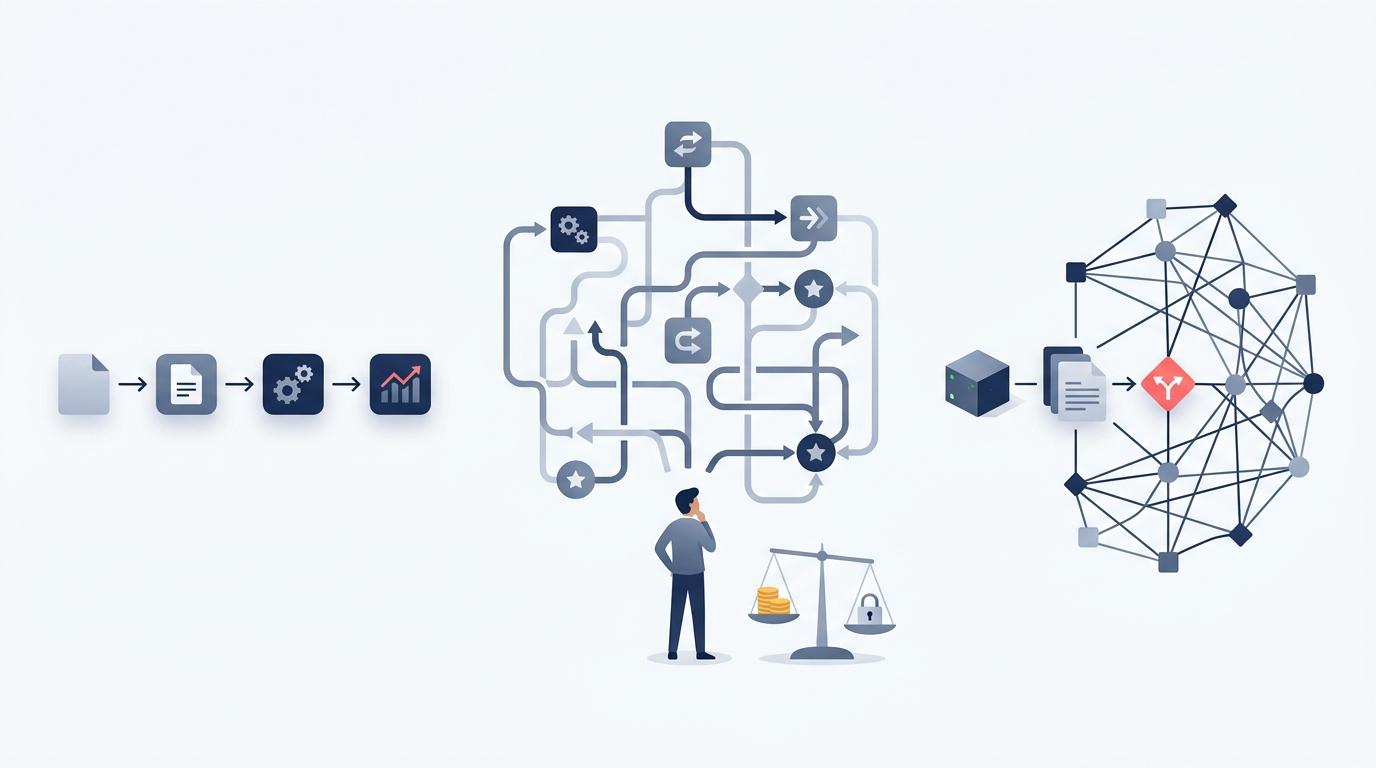
- Zapier is the fastest way for a non-technical team to connect common apps and add a simple AI step. It gets expensive as volume and step count grow, because it bills per task.
- Make gives you a visual canvas with branching, loops, and fine-grained error handling at a lower cost per step than Zapier. It suits operations teams with multi-step logic who are comfortable with a little complexity.
- n8n is the strongest choice for AI-heavy workflows and for data control, because you can self-host it and it bills per workflow run instead of per step. It asks for more technical skill, especially if you host it yourself.
- For a team automating CRM updates, inbox triage, and LLM steps, the deciding factors are usually monthly run volume, whether customer data may leave your infrastructure, and who will maintain the workflows.
Which should you choose: n8n, Make, or Zapier?
Choose Zapier if speed and simplicity matter most and volume is modest. Choose Make if your workflows branch, loop, and need careful error handling on a budget. Choose n8n if AI agents, high volume, or data control matter most and someone on the team can handle a technical tool. Many teams outgrow one and move to another.
AI workflow automation is the practice of connecting business apps (CRM, inbox, calendar, spreadsheets) into automated sequences that include an AI step, such as an LLM classifying an email, extracting fields from a document, or drafting a reply. Operations teams use it to remove repetitive work such as copying lead details between tools or triaging support inboxes by hand.
The pain is familiar. A lead fills in a form, sits in the inbox for three hours, and gets a reply after they have already booked a competitor. Five tools hold five versions of the customer record. Someone spends every morning tagging emails. All three platforms can fix those problems. The difference is in what each one costs, how it fails, and where your data goes.
How do n8n, Make, and Zapier compare side by side?
n8n, Make, and Zapier differ most on pricing model, hosting, and how much logic you can build before the tool fights you. Zapier is the easiest to learn, Make sits in the middle, and n8n is the most flexible and technical. The table below summarizes the trade-offs for an operations team.
| Factor | Zapier | Make | n8n |
|---|---|---|---|
| Learning curve | Lowest. Linear steps, plain-language setup | Moderate. Visual canvas with routers and iterators | Highest. Node canvas, JSON data, optional code |
| Billing unit | Per task (each action step that runs) | Per operation or credit (each module that runs) | Per workflow execution on cloud; free to self-host the Community Edition |
| Hosting | Cloud only | Cloud only, with a choice of region | Cloud or self-hosted on your own servers |
| Complex logic | Paths and filters; gets awkward at scale | Strong: routers, loops, aggregators, error routes | Strong: branching, loops, sub-workflows, custom code |
| AI and agents | Built-in AI steps and agent features, easy setup | AI modules and agent features | Deepest: agent node with memory, tools, and vector stores |
| Integration catalog | Largest | Large | Smaller, but any API works via HTTP node |
| Best fit | Small teams, low to medium volume | Ops teams with multi-step logic | AI-heavy, high-volume, or data-sensitive work |
Pricing tiers and limits change often, so check the current pages for Zapier, Make, and n8n before you commit.
Which tool costs the least as workflows grow?
n8n usually costs the least at volume because n8n cloud counts one charge per workflow run, no matter how many steps run inside it, and self-hosting removes the platform fee entirely. Zapier and Make charge for each step that runs, so a long workflow running thousands of times a month adds up fast.
Here is an illustrative example. Say you have a lead workflow with one trigger and five actions: look up the contact in the CRM, ask an LLM to score the lead, update the CRM, post to Slack, and send a follow-up email. Imagine it runs 2,000 times a month.
| Platform | How it counts | Monthly usage in the example |
|---|---|---|
| Zapier | Each action step is a task (the trigger is not counted) | 5 tasks x 2,000 runs = 10,000 tasks |
| Make | Each module run is an operation, including the trigger | 6 operations x 2,000 runs = 12,000 operations |
| n8n cloud | Each full workflow run is one execution | 2,000 executions |
The gap widens when you loop over items. If the workflow processes ten line items per order, Make and Zapier count every pass through every step, while n8n still counts one execution.
Do not forget the hidden costs. Your LLM provider (OpenAI, Anthropic's Claude) bills separately for tokens on every platform. Self-hosted n8n trades a platform fee for server costs and someone's time to patch, back up, and monitor it. For a five-person team without an engineer, Zapier's higher bill can still be the cheaper option overall.
Which platform is most reliable when an AI step fails?
Make and n8n give you the most control when a step fails, because both let you build explicit error paths: retry, fall back to another step, or route the failure to a human. Zapier is reliable for straightforward flows and can replay failed runs, but it offers fewer options for handling errors inside the workflow itself.
AI steps fail in ways ordinary steps do not. An LLM can time out, hit a rate limit, or return text in the wrong format, so a CRM field gets "Sure! Here is the score: 7" instead of "7". Plan for that on any platform:
- Ask for structured output. Request JSON with fixed fields, then validate it before writing to your CRM.
- Retry with limits. n8n lets you set retries on individual nodes. Make offers error handler routes such as resume, ignore, and break.
- Route failures to a person. Send unclear cases to a Slack channel or task queue so a human in the loop decides.
- Alert on failure. n8n supports a dedicated error workflow; Make stores incomplete executions you can resolve and rerun; Zapier sends error notifications and supports replays.
Self-hosted n8n adds one more reliability question: your uptime is now your job. If the server goes down at 2 a.m., webhooks from your forms and CRM may be lost unless you have queuing and monitoring in place.
Which option keeps customer data under your control?
n8n is the only one of the three you can self-host, so it is the clear choice when customer data must stay on your own infrastructure, as is common in healthcare, banking, and fintech. Make and Zapier are cloud services: data passes through their servers, though Make lets you pick a hosting region.
Self-hosting is not automatically compliant. You still need encryption, access controls, audit logs, backups, and a signed agreement with any LLM provider that touches the data. Also remember that the AI step itself sends data out: if your self-hosted n8n workflow calls a public LLM API, patient or account details still leave your servers unless you redact them first or use a model hosted in your own environment.
For less sensitive work, such as marketing leads, e-commerce order notifications, or real estate inquiries, the security posture of the major cloud platforms is usually adequate. Review each vendor's security and compliance documentation against your own requirements rather than assuming.
Which handles AI agents and LLM steps best?
n8n handles AI agents best for teams that need depth, because its agent node supports tool use, conversation memory, and vector stores for retrieval augmented generation inside the workflow. Zapier and Make make simple AI steps very easy, such as summarizing an email or classifying a ticket, and both have added agent features.
It helps to separate two kinds of AI work:
- A single LLM call inside a fixed workflow. For example: classify an incoming email as sales, support, or spam, then route it. All three platforms do this well. Pick the one your team already knows.
- An agent that decides its own next step. For example: read a customer email, look up the order, check the refund policy in a knowledge base, and either draft a reply or escalate. n8n gives you the most control here, including which tools the agent may call and what it remembers.
Be honest about where AI belongs at all. If the rule is "orders over $500 go to the manager", a plain filter is cheaper, faster, and never hallucinates. Use an LLM where judgment on messy text is genuinely needed, such as lead qualification from a free-text form or document data extraction from varied invoices. When Impleko AI builds workflows for clients, we keep deterministic rules in plain logic and reserve model calls for the steps that actually need them, which keeps token costs and failure points down.
Which works best for CRM and inbox automation, including GoHighLevel?
For CRM and inbox work, all three platforms connect to the major tools (HubSpot, Salesforce, Gmail, Outlook, GoHighLevel), so the choice comes down to volume and logic. Zapier is quickest for a handful of simple syncs, Make suits multi-branch routing, and n8n suits high-volume inbox triage with AI.
A typical operations setup looks like this:
- A new email or form submission arrives.
- An LLM extracts the name, company, intent, and urgency, and returns them as structured fields.
- The workflow checks the CRM for an existing contact and creates or updates the record.
- High-intent leads trigger an instant reply and a booking link, which protects speed to lead.
- Everything else gets tagged and queued for the team.
If you run GoHighLevel, check its built-in workflow builder first. GoHighLevel automation covers a lot of follow-up sequences, pipeline moves, and SMS natively, and adding an outside platform only makes sense for steps it cannot do, such as complex AI processing or syncing with tools outside its ecosystem. Running the same logic in two places is a common cause of duplicate messages and conflicting records.
When should you skip n8n, Make, and Zapier entirely?
Skip all three when a workflow becomes core product logic, needs very low latency, or runs at a volume where custom code is cheaper and easier to test. A real-time AI voice agent answering missed calls, for example, usually runs on a voice platform such as Retell AI or VAPI with Twilio, using automation tools only for after-call steps.
Warning signs that a workflow has outgrown a no-code tool include canvases with dozens of branches nobody fully understands, logic copied across several workflows, and no way to test changes before they reach customers. At that point, a small service written in code, with version control and tests, is often more reliable. Impleko AI often uses a hybrid approach: custom code for the critical path and n8n or Make for the glue around it.
How long does it take to set up or migrate?
A simple Zapier workflow can be live in an afternoon. A multi-step Make or n8n workflow with AI steps, error handling, and testing typically takes days to a couple of weeks, depending on how many systems it touches. Migrating between platforms means rebuilding, not importing, since none of the three converts the others' workflows.
Before migrating, list every active workflow, its monthly volume, and who owns it. Teams often find that some of their automations are no longer used, and cleaning those up cuts costs before any platform change. Then move the highest-volume or highest-risk workflow first, run old and new in parallel for a week, and compare results.
Frequently Asked Questions
Is n8n cheaper than Zapier?
Usually, yes, at higher volumes. n8n cloud bills per workflow execution rather than per step, and the self-hosted Community Edition has no platform fee, though you pay for servers and maintenance.
Is Make better than Zapier for complex workflows?
For most complex workflows, yes. Make's visual canvas handles branching, loops, and error routes more cleanly, and it generally costs less per step, while Zapier stays easier for simple linear automations.
Can I self-host Make or Zapier?
No. Make and Zapier are cloud-only services. n8n is the only one of the three you can run on your own servers.
Which platform is best for AI agents?
n8n offers the most control for AI agents, with an agent node that supports tools, memory, and vector stores. Zapier and Make are easier for single AI steps such as classifying or summarizing text.
Do I need a developer to use n8n?
Not for basic workflows, but n8n rewards technical comfort with JSON and APIs. Self-hosting n8n does require someone who can manage servers, updates, backups, and monitoring.
Should I use GoHighLevel workflows or an external automation tool?
Start with GoHighLevel's built-in workflows for follow-ups and pipeline steps it handles natively. Add n8n, Make, or Zapier only for complex AI processing or syncing with tools outside GoHighLevel, and avoid duplicating logic in both.