
How to Set Up Automatic Delivery Updates on WhatsApp and SMS
Impleko AI · 9 min read
Stop where-is-my-order calls. See how logistics teams set up automatic WhatsApp and SMS shipment updates, from triggers and templates to opt-in and exceptions.
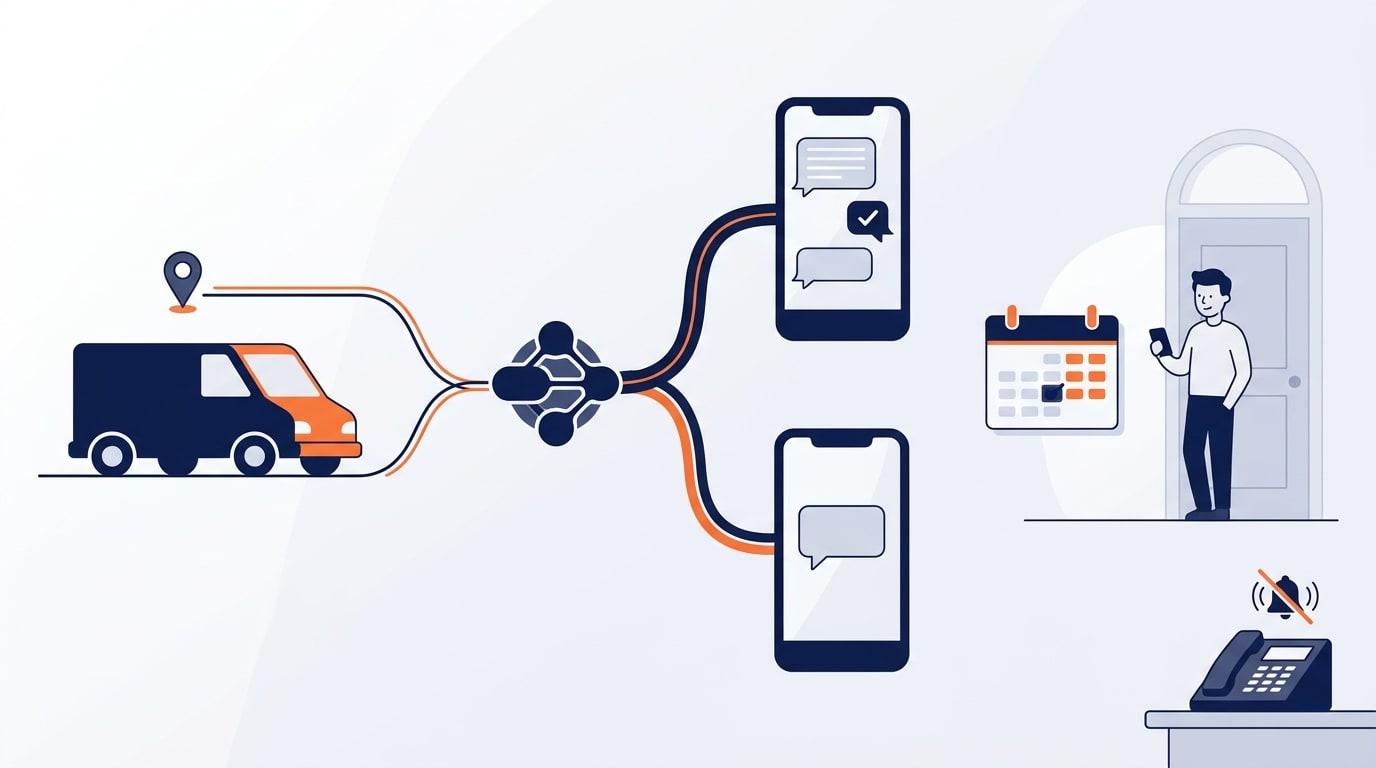
Key Takeaways
- Proactive delivery updates are automatic status messages sent at set shipment events (picked up, out for delivery, delayed, delivered), so customers get answers before they think to call.
- The core setup is simple: a tracking data source, a trigger tool such as n8n, Make, or Zapier, a messaging provider such as Twilio, and pre-approved WhatsApp templates plus SMS as fallback.
- Plain rules should send the routine messages. AI earns its place on exceptions, free-text replies, and handing hard cases to a human.
- Opt-in consent and template approval are mandatory, so plan for them before you build.
- A working version for one carrier feed and one or two message types can usually be tested in a few weeks, then widened.
What are proactive delivery updates, and why do customers keep calling?
Proactive delivery updates are automatic shipment status messages, sent by WhatsApp or SMS at defined events, that tell a customer where their delivery is before they ask. Customers call because they have no visibility, not because they enjoy phoning. Every "where is my order" call is a status your system already knew.
The cost is practical. Dispatchers and support agents spend their day reading tracking screens aloud, and real problems such as a damaged pallet or a failed access code wait in the same queue. Missed calls pile up during peak hours, and the customer who could not get through often calls again, doubling the load.
Proactive messaging attacks the cause. If the customer already has the ETA, the delay notice, and a link to track, most of those calls never happen. This is sometimes called support ticket deflection, and in logistics it is among the cheapest forms to build because the data already exists.
What do you need before you start?
You need four things: a reliable source of shipment events, a tool that reacts to those events, a messaging channel provider, and a customer contact record with consent. If any of the four is weak, messages will be late, wrong, or non-compliant. Fix those before writing a single template.
| Component | What it does | Typical options |
|---|---|---|
| Event source | Emits a status change when a shipment moves | TMS, WMS, carrier API, driver app, webhook |
| Automation layer | Listens for events and decides what to send | n8n, Make, Zapier, or custom code |
| Messaging provider | Delivers WhatsApp and SMS | Twilio, other WhatsApp Business API providers |
| Customer data | Phone number, language, consent status | CRM, order system, GoHighLevel |
| Handoff path | Routes replies to a person | Shared inbox, helpdesk, dispatcher queue |
The most common blocker is the event source. If drivers update status at the end of the day instead of at each stop, no messaging tool can make the updates timely. Check how fresh your data really is first.
Which shipment events should trigger a message?
Send a message at the moments customers would otherwise call about: booking confirmed, picked up, out for delivery with a time window, delayed, delivery attempted, and delivered. Fewer, useful messages beat a message at every scan. Too many pings train customers to ignore you.
| Event | Best channel | What the message should include |
|---|---|---|
| Order confirmed or picked up | WhatsApp or SMS | Reference number, tracking link |
| Out for delivery | WhatsApp or SMS | Delivery window, driver or depot contact |
| Delay detected | WhatsApp first, SMS fallback | Reason in plain words, new window, reply option |
| Delivery attempted, failed | WhatsApp or SMS | What happened, how to rebook |
| Delivered | WhatsApp or SMS | Confirmation, proof of delivery link |
The delay message matters most. A customer told about a delay early rarely calls. A customer who finds out by waiting at home does.
How do you set up the messages step by step?
Start with one shipment type and one carrier or depot feed, wire it end to end, then widen. A narrow first release exposes data problems cheaply. The flow is the same in n8n, Make, or Zapier: event in, rules applied, message out, reply handled. Impleko AI can build and test this flow for a first carrier feed, or your team can build it in-house using the steps below.
Step 1: Connect the event feed
Pull status changes through a webhook or a scheduled poll of your TMS or carrier API. Normalize them into a small set of your own statuses, because every carrier names events differently. Store the last status sent per shipment so no customer receives the same message twice.
Step 2: Register a WhatsApp sender and SMS number
A business-initiated WhatsApp message must use a pre-approved template, sent through the WhatsApp Business API. Providers such as Twilio handle the connection, and the Twilio WhatsApp documentation covers sender setup. For US SMS to customers, A2P 10DLC registration is required for business messaging on standard local numbers.
Step 3: Write short templates with variables
Keep each template to one idea and a few variables: customer first name, reference, window, and tracking link. Submit them for approval in the categories Meta defines. Delivery status messages usually fit the utility category. Meta's WhatsApp pricing documentation explains how template categories affect cost, and rates change, so check it when budgeting.
Step 4: Add the fallback and the human path
If a customer has no WhatsApp or the message fails, send SMS instead. Every message should tell people how to reply, and replies should land in a queue a person watches. Without that last step, proactive messaging just moves the frustration to a dead-end number.
Step 5: Test with real shipments
Run a pilot on a small batch, compare the messages to what actually happened, and read every reply. Look for wrong ETAs, duplicate sends, and messages sent at 3 a.m. Set quiet hours in the automation before launch.
Should a logistics team use WhatsApp or SMS?
Use WhatsApp where your customers already use it and SMS everywhere else, with SMS as the fallback. WhatsApp supports rich content, quick replies, and two-way conversation. SMS reaches nearly any phone with no app, which makes it the safer baseline.
The right mix depends on your region and customer type. Many teams in Latin America, Europe, the Middle East, and South Asia lean on WhatsApp, while US consumer delivery often defaults to SMS. Business-to-business customers may prefer email or a portal, so check before assuming. Ask a sample of customers which channel they actually read.
Where does AI help, and where does a plain rule work better?
A plain rule should send routine updates, because "status equals out for delivery, so send template B" is cheaper, faster, and more predictable than any language model. AI is useful at the edges: understanding replies, explaining exceptions, and deciding when to hand off to a person.
Here is where an LLM (a large language model such as Claude or an OpenAI model) adds real value:
- Reading replies. A customer writes "can you leave it with my neighbor at 14?" An LLM can classify the intent and either update the delivery note or flag a dispatcher.
- Reply in the customer's language. The model can answer common questions in the customer's language using approved facts only.
- Exception wording. For unusual delays, the model drafts a clear explanation from structured data, with a person approving until it proves reliable. This is a human in the loop pattern.
- Voice fallback. For customers who call anyway, an AI voice agent built on a platform such as Retell AI or VAPI can read the live status and hand off if needed, and Impleko AI can set that up alongside the messaging flow.
For answering policy questions (redelivery fees, claim steps), retrieval augmented generation, which lets the model look up your own documents before replying, is usually better than retraining a model. Impleko AI builds this kind of layered system, with rules for routine sends and AI only where judgment is needed.
How do you handle consent and compliance?
Collect and record customer opt-in before sending, and keep the proof. WhatsApp requires it under Meta's business messaging policy, and SMS rules vary by country. In the US, consent rules for texting are covered by federal and carrier requirements, so have your counsel review the wording.
Practical habits keep you safe:
- Capture consent at booking or checkout, with clear wording about delivery updates.
- Store the timestamp, source, and phone number for each opt-in.
- Honor STOP replies immediately across both channels.
- Keep marketing out of delivery messages unless the customer separately agrees.
Transactional updates feel low risk, but sloppy consent records are the usual cause of blocked numbers and rejected templates.
How long does setup take, and how do you measure results?
A single-feed pilot with a few templates and a human handoff can usually be built and tested in a few weeks, assuming your tracking data is already reliable. Timelines stretch when the event source is messy, so most of the effort goes into data, not messaging.
Track three things: calls and chats about "where is my order" per hundred shipments, message delivery and failure rates, and the share of replies needing a human. Measure the baseline before you launch.
Here is an illustrative example. Say a depot ships 500 parcels a day and 10% of customers call for status, each call taking three minutes. That is 50 calls and 150 minutes of agent time daily. If proactive updates halve those calls, the team recovers about 75 minutes a day, which can go to failed deliveries and claims. These numbers are hypothetical, so replace them with your own call logs.
Frequently Asked Questions
How can a logistics company send automatic shipment status messages by WhatsApp and SMS?
Connect your tracking or TMS events to an automation tool such as n8n, Make, or Zapier, then send messages through a provider like Twilio using approved WhatsApp templates and SMS as fallback. Record customer consent first and route replies to a person.
Do I need the WhatsApp Business API to send delivery updates?
Yes, for automated business-initiated messages at scale you need the WhatsApp Business API, usually accessed through a provider such as Twilio. The regular WhatsApp Business app is not built for automated, event-triggered sending.
Do I need AI to send proactive delivery updates?
No. Routine status messages work best as plain rules. AI helps with reading customer replies, explaining unusual delays, answering policy questions, and deciding when to escalate to a human.
Will proactive updates stop all "where is my order" calls?
No, but they can remove a large share of them. Customers will still call about delays, failed deliveries, and special requests, so keep a clear reply path and a human or AI voice fallback.
What happens if a customer has not opted in?
Do not send them WhatsApp or SMS updates. Use another channel they agreed to, such as email, and add consent capture at booking so future shipments are covered.
What is the biggest reason these setups fail?
Stale or inconsistent shipment data. If drivers or carriers update statuses late, the messages arrive late or wrong, so fix the event source before building templates.